
Every professional knows the pain of dealing with endless reports, contracts, and proposals. Whether it’s a 200-page financial audit or a dense industry analysis, scrolling through PDFs manually is exhausting — and time is something we never have enough of.
That’s where DeepPDF’s ChatPDF completely changes the game.
It’s not just another AI reader. ChatPDF turns your PDF documents into interactive conversations. You upload a file — a report, a market forecast, even a scanned contract — and instantly start asking questions about it.
Need to find key metrics? Ask.
Need a summary of section four? Ask.
Need to compare two data tables? Just ask again.
What used to take hours now takes minutes — and unlike many other tools, DeepPDF ChatPDF is 100% free. No paywalls, no sign-ups, no limits.
What Is DeepPDF ChatPDF?
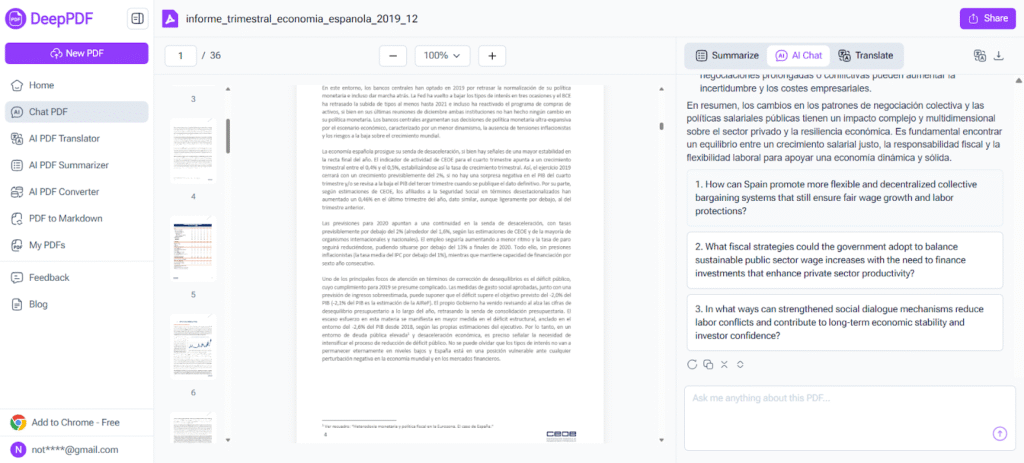
At its core, ChatPDF is a professional-grade tool built by DeepPDF that lets you communicate directly with any PDF file.
You upload the file, and within seconds, it’s ready to chat. You can type questions like:
- “Summarize the key findings from this financial report.”
- “What’s the total revenue growth shown in Table 3?”
- “Which section mentions the company’s new strategy?”
- “List the key recommendations.”
And ChatPDF answers instantly — referencing real sections, figures, and data inside your document.
This is what makes it more than a “PDF summarizer.” It’s a document intelligence assistant built for people who work with information, not just text.
(What Is DeepPDF ChatPDF)
Designed for Business and Professional Use
DeepPDF ChatPDF feels tailor-made for professionals — managers, analysts, consultants, lawyers, and team leads who handle large volumes of documentation every week.
Unlike many tools that choke on big or scanned files, ChatPDF was designed for the real business world — where files are large, complex, and time-sensitive.
Let’s break down why professionals love it.
1. Handles Massive PDFs up to 200MB
Yes, you read that right — DeepPDF ChatPDF supports files up to 200MB.
That means you can upload an entire annual report, a full market study, or a detailed technical document — all at once. No need to split files, compress them, or trim content.
I tested this with a 178MB sustainability report filled with charts, images, and tables. It loaded cleanly and responded to questions within seconds.
For executives and researchers handling large corporate PDFs, this is a lifesaver. Most other Chat PDF tools stop working past 20–50MB, while DeepPDF handles everything smoothly.
2. Reads Scanned Contracts and Image-Based Reports
In the real world, not every document is a clean digital PDF. Many are scanned, especially contracts, invoices, and archived documents.
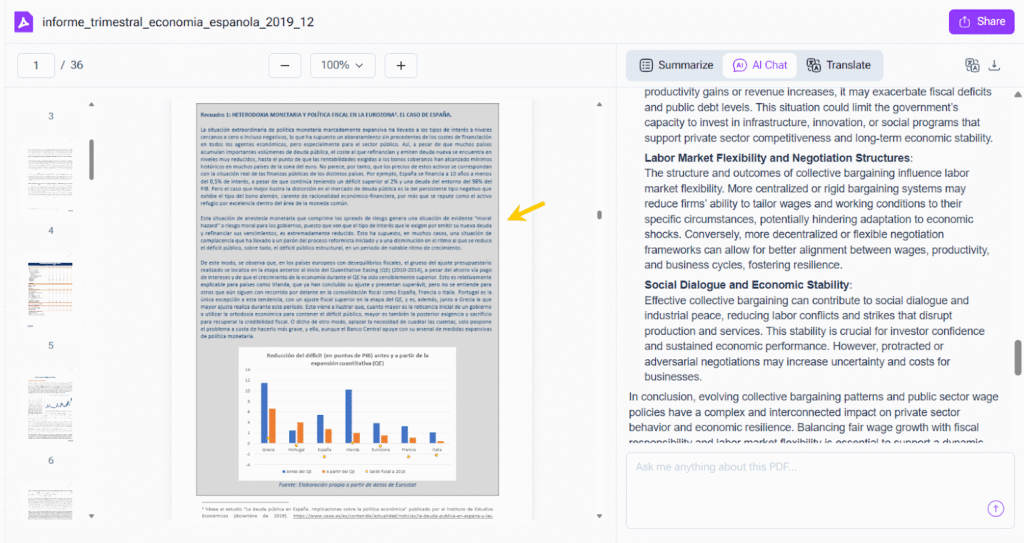
ChatPDF’s built-in OCR (optical character recognition) engine can read and understand text inside scanned or image-only PDFs.
I uploaded a scanned supplier contract once — and ChatPDF was able to pull out terms, summarize key obligations, and even highlight renewal clauses when asked.
That kind of functionality turns it from a simple AI toy into a genuine productivity tool for lawyers, compliance officers, and procurement teams.
(Reads Scanned Contracts and Image-Based Reports)
3. Understands Charts, Data, and Formulas in Reports
Modern reports are packed with tables, financial figures, graphs, and metrics. Most tools can’t make sense of that kind of content.
But DeepPDF’s ChatPDF can. It interprets charts, formulas, and tabular data contextually — not just as raw text.
You can ask:
- “What trend does Figure 5 show?”
- “Compare the profit margins in Table 2 and Table 7.”
- “Explain the growth formula in the appendix.”
And you’ll get accurate, context-based responses.
For data analysts, strategists, and financial teams, this means no more skimming through dozens of charts just to find one insight.
4. Intelligent Question Recommendations
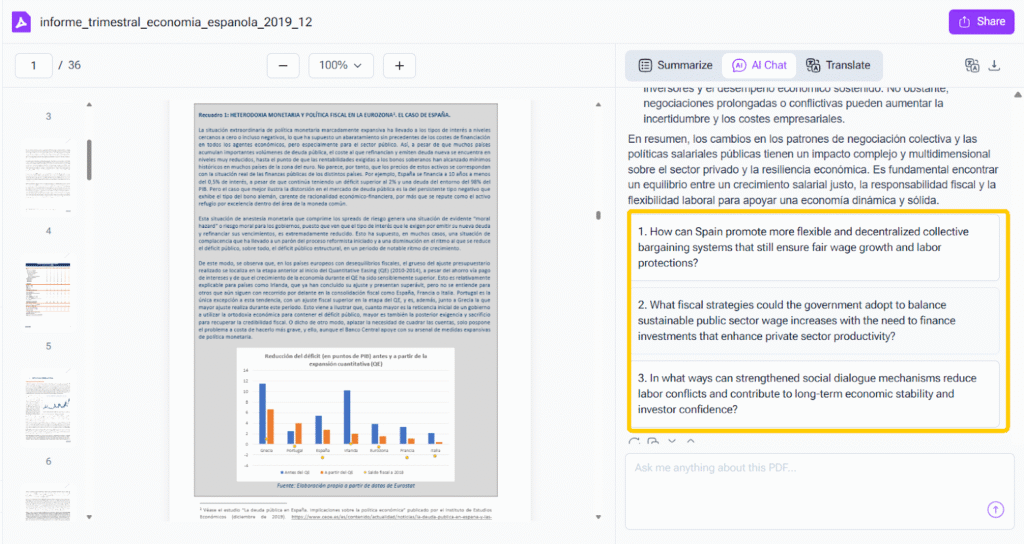
When you upload a PDF, ChatPDF doesn’t wait for you to guess what to ask — it automatically suggests smart, relevant questions based on the content.
For example, if you upload a financial report, you might see:
- “What is the company’s year-over-year revenue growth?”
- “What are the key performance indicators?”
- “What are the main risks identified in this report?”
For a business proposal, it might suggest:
- “What services are being offered?”
- “What is the proposed timeline?”
- “What are the payment terms?”
It feels like having a consultant who already read the document for you and is now guiding you to the key insights.
(Intelligent Question Recommendations)
5. Unlimited Multi-Turn Conversations
The power of DeepPDF ChatPDF lies in its ability to have ongoing, natural conversations with your document.
You can start with a broad question:
“Summarize this report in three paragraphs.”
Then narrow it down:
“Now focus on the recommendations.”
And dig even deeper:
“Which data supports recommendation number 2?”
Each question builds on the last — no context lost, no need to start over.
For anyone who regularly reviews or presents reports, this feature alone can save hours every week.
Real-World Business Uses for ChatPDF
Let’s go over how different professionals are already using DeepPDF’s ChatPDF in their daily work.
1. Market Research and Competitive Analysis
Analysts and marketers deal with tons of market reports every week — often hundreds of pages long.
Instead of reading each page manually, you can upload them into ChatPDF and ask:
- “What are the main market trends mentioned?”
- “What companies are cited as competitors?”
- “Summarize the growth forecast for 2026–2030.”
ChatPDF can quickly condense an entire report into a handful of actionable insights, perfect for presentation decks or team briefings.
2. Financial and Corporate Reporting
CFOs, investors, and auditors use ChatPDF to make sense of large financial disclosures.
You can upload quarterly reports or balance sheets and ask:
- “Summarize the company’s financial performance.”
- “List all cost reduction measures mentioned.”
- “Compare last year’s revenue and this year’s.”
Because it reads charts and tables accurately, ChatPDF can help you interpret financial ratios, KPIs, or even changes in company strategy across multiple reports.
3. Contract Review and Legal Work
Lawyers and business managers often spend hours reviewing repetitive contract terms. ChatPDF makes it much faster.
You can ask:
- “What’s the termination clause?”
- “What are the obligations of each party?”
- “Does this contract mention penalties?”
It gives direct, text-based answers from the document itself — perfect for initial review before doing a detailed legal check.
4. Consulting and Strategy Projects
Consultants love ChatPDF because it turns lengthy project documents into instant summaries and insights.
Upload a proposal, a tender document, or a policy draft, and ask:
- “What is the main objective of this proposal?”
- “What’s the client’s expected deliverable?”
- “Summarize the methodology suggested.”
This lets consultants prepare faster, respond to clients quickly, and stay ahead during proposal reviews.
5. HR, Policy, and Operations Teams
For internal company documents like employee handbooks, compliance manuals, or policy PDFs, ChatPDF makes them interactive.
You can ask things like:
- “What’s the company policy on remote work?”
- “What are the safety procedures listed?”
- “When does the probation period end?”
Instead of searching manually, employees or HR teams can just ask and get clear answers immediately.
Why Businesses Prefer DeepPDF Over Paid Tools
Many professionals compare DeepPDF ChatPDF with tools like NoteGPT or other paid AI readers. The truth is — DeepPDF offers all the premium features for free.
Here’s how it stacks up:
| Feature | DeepPDF ChatPDF | NoteGPT |
| File limit | 200MB | 50MB |
| Scanned PDF support | Full OCR | Partial |
| Chart & formula understanding | Yes | Limited |
| Smart question suggestions | Yes | Yes |
| Multi-turn conversation | Unlimited | Limited on free plan |
| Cost | Free | Paid |
With DeepPDF, there are no hidden paywalls or credit systems. You can upload as many documents as you need, chat endlessly, and get the same (or better) level of intelligence as the paid alternatives.
How to Use ChatPDF for Business in Minutes
You can start using it right now — no setup, no registration.
- Go to Chat PDF.
- Upload your report, contract, or document (up to 200MB).
- Wait a few seconds for processing.
- Start asking questions like “Summarize the key points” or “Show me all performance indicators.”
- Continue the conversation as long as you need.
It works perfectly on desktop or mobile browsers, so you can analyze documents anywhere.
(How to Use ChatPDF for Business in Minutes)
The Experience: Fast, Reliable, and Human-Like
What stands out most about DeepPDF’s ChatPDF is how smooth the experience feels. The responses are clean, structured, and easy to follow — not robotic or overloaded with jargon.
You can even ask:“Explain this in simpler language.” or “Summarize it for a non-technical audience.” And it instantly adapts.
It doesn’t just summarize data — it helps you understand the story behind it, which is what every professional actually needs.
Conclusion
In today’s fast-paced work environment, professionals can’t afford to waste hours reading through lengthy PDFs.
DeepPDF ChatPDF transforms that experience — turning static documents into dynamic, conversational knowledge sources. It handles huge 200MB files, reads scanned contracts, interprets data charts, and supports unlimited questions — all completely free.
Whether you’re a consultant, analyst, lawyer, or executive, ChatPDF can save you time, help you make faster decisions, and simplify how you interact with complex information.
If you’ve ever wished your reports could just explain themselves, try DeepPDF ChatPDF today. It’s the simplest, smartest way to read and understand professional PDFs.
